
1. A QR for every guest
Every invitation gets its own QR and 8-character code. Send it with the digital invitation, or print cards for guests who prefer paper.
Digital guestbook · QR check-in
No more queue at the guestbook table. Every guest has their own QR, your ushers only need a phone, and you can see who has arrived.
Start free · no card · ushers don’t install anything
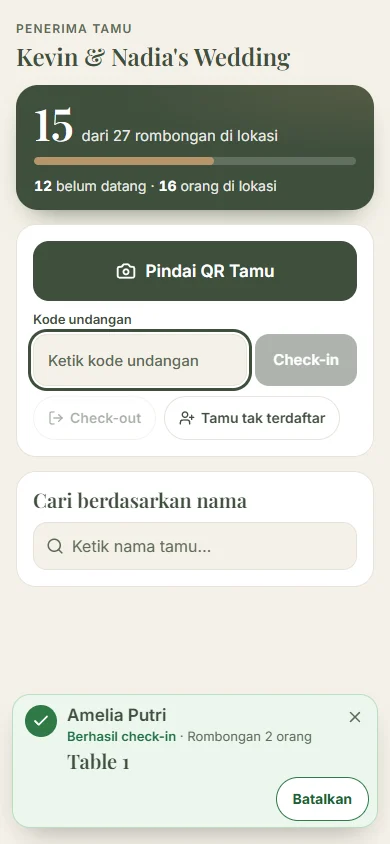
Every invitation gets its own QR and 8-character code. Send it with the digital invitation, or print cards for guests who prefer paper.
Create one link per usher. It opens in their phone’s browser, with no account and no install, and you can revoke it any time.
The moment a QR is scanned, the usher sees the name, party size and table number. If a QR won’t scan, they type the code instead.
The arrivals board shows who has arrived, who hasn’t, and who has left, updating throughout the event.
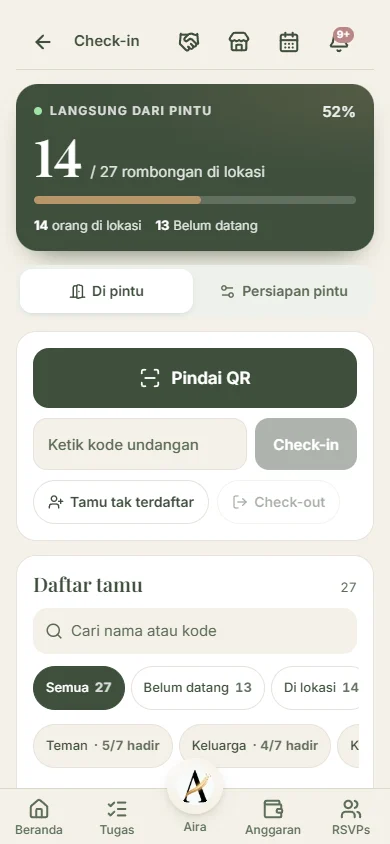
Use one, or all three at the same door.
Scan guest QRs with the phone camera. Bad signal in the venue? Check-ins are saved on the phone and sent automatically when the signal returns.
Put a tablet by the door so guests can check themselves in. If someone gets stuck, the "Need help?" button calls an usher over.
Put up a check-in poster at the door. Guests scan it with their phone, enter their invitation code, and see which table to go to.
The same arrival data runs other parts of your event.
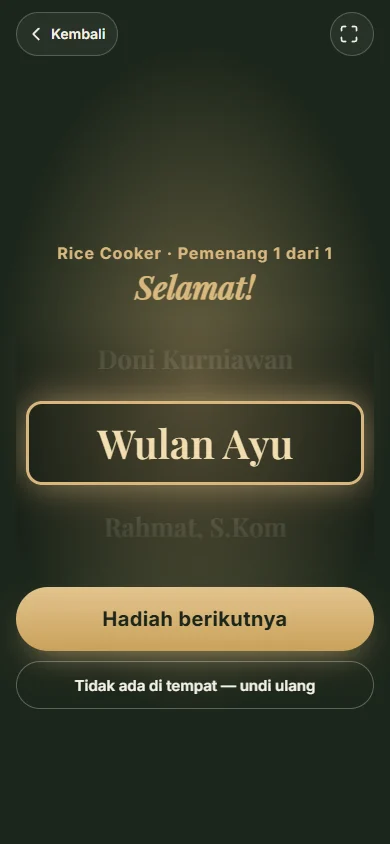
Only guests who have checked in are in the draw. Put the prize wheel on a TV or projector. If a winner isn’t there, the prize is redrawn on the spot.
Someone turned up without an invitation? Add them at the door, with their party size.
Guests write their wishes on the digital invitation. You choose which ones to show, hide or pin.
Share the run of show with a link. Each vendor sees only their own slots.
Free for 25 invitations, and one invitation can cover a whole party. For bigger events, pick a plan for 100 to 1,000 invitations, or add 100 at a time. Pay once, valid for a year, no subscription.
See pricingNo. Ushers open the link you send them in their phone’s browser. They don’t need an account either.
The camera scanner runs in Chrome on Android. On other phones, ushers can still type the 8-character invitation code.
Check-ins on an usher’s phone are recorded offline and sent automatically when the signal comes back. Adding guests who aren’t on the list needs internet.
The usher can type their invitation code, or add them at the door as a guest who isn’t on the list.
Yes. Birthdays, aqiqah, khitanan, office events, seminars and reunions all use the same check-in.
As many as there are invitations on your guest list. It’s free for 25, and a plan takes you up to 1,000.
Create your event, add your guests, and their QRs are ready.