
How to build your run of show in Datella
A rundown living in the MC's head dies in a WhatsApp thread. In Datella the rundown is a timed list that does its own math: gaps and clashes get flagged, one tap ripples a late start down the day, and your MC and vendors watch the latest version from their own phones, no account needed.
Prerequisites
- An event created
- Ceremonies (akad, reception) filled in the invitation's Schedule section if you want per-ceremony grouping
Open "Run of show" from Home
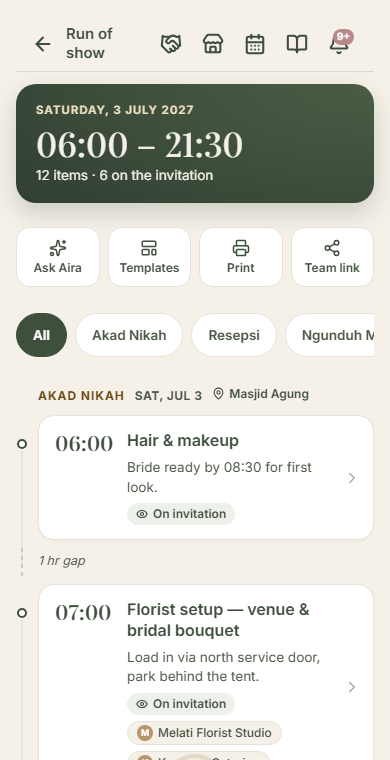
Tap the "Run of show" tile on Home. The screen stays simple: a summary card on top, the timed list below. Tap "Add an item" to start. Give it a title, a start time, an end time when you know it, and use the notes for "Who's in charge, where, what to prepare". The next item you add pre-fills its start from the previous end time, or the previous start when no end is set, so you are not retyping times.
Read the gap and clash flags
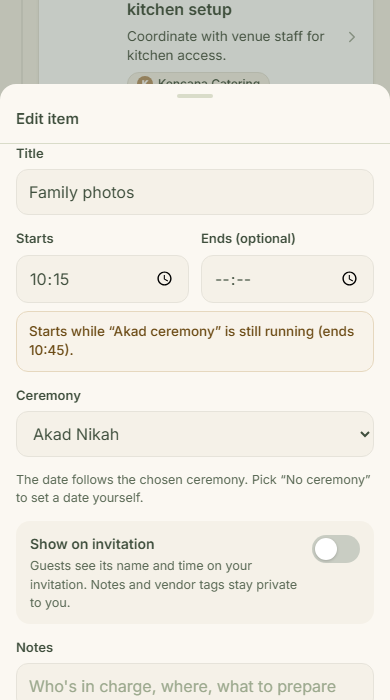
Between rows, Datella marks a "{d} gap" whenever fifteen minutes or more sit empty, and flags a clash with "Runs alongside "{title}" for {d}" when an item starts before the one above it ends. The same warnings reappear inside the editor with exact times, so you know precisely what to move. An end time earlier than its start is read as past-midnight, not as an error.
Fix a late start in one tap
When something runs long, open the item that is overrunning, push its end time past the next item's start, and tap "Push the next {n} items +{m} min" when it appears. Everything after shifts by that much, stopping at the first gap wide enough to absorb the delay, so the slip does not cascade into the night. An "Undo" button backs out a wrong shift. And when two items turn out to be copies of each other, usually a template applied twice, a "Delete this copy" button sweeps the spare away.
Group by ceremony and publish to the invitation
With more than one ceremony on your invitation, per-ceremony tabs appear above the list; each item can be filed under a ceremony, and its date follows that ceremony. The "Show on invitation" switch surfaces an item's name and time on the guest invitation as a Timeline section, never its notes or vendor tags, so guests see the official order while your internal notes stay yours.
Share to the team and vendors, no logins
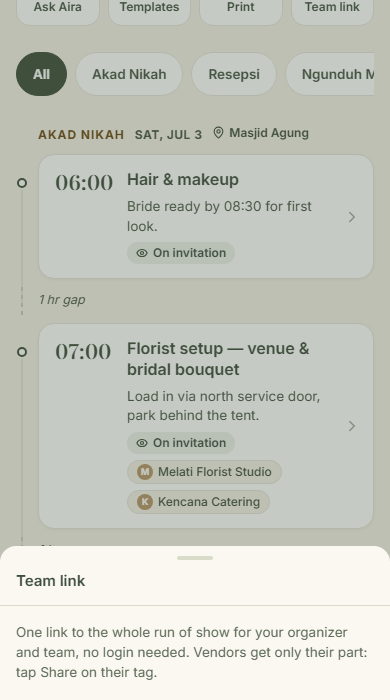
The "Team link" button mints one link carrying the whole rundown for the MC, planner, and core team; it opens logged-out, always shows the current version, and carries its own "Happening now" and "Up next" markers. For vendors, tap "Share" on their tag and they see only their items. Links display once at creation, go out via WhatsApp in one tap, and revoke cleanly.
Print for the bad-signal ballroom
The "Print" button produces one A4 page with the full rundown grouped by ceremony, opened by a summary card per ceremony with its date, time, venue, and dress code, then the timed rows with notes. The shared phone page has its own print button too, so the MC can print a copy on the spot.
Common questions
Does my MC or a vendor need a Datella account?
No. Team and vendor links open in any browser, signed out. The link is the credential, so treat it like the document itself: send it to the right people, revoke it when the day is over.
If the reception starts late, does the invitation update too?
No. Only your internal rundown shifts. The guest invitation shows the items you marked "Show on invitation" at the times you saved, so rearrange backstage freely.
Is this only for weddings?
It gets used for seminars, recitals, competitions, and internal team days as much as weddings. Item names, tabs, and time flags are context-free.
Any limits or extra cost?
No item cap, no plan gate. The only small limit is technical: twenty tags per item.
Try Datella free — sign up in under a minute.
Start free